Videos
How to Make a 3D Button in Figma
David Hill shows how to make a nice 3D button with an active ring effect, applied in a way that grows with the button without changing the dimensions of the button.
Master Figma
A new free course with a comprehensive curriculum on how to use Figma.
How to Make a Curved Mesh in Figma
David Hill shows how to achieve a very cool curved mesh effect in Figma.
Yuhki Yamashita: Confessions of Modern Design
Yuhki Yamashita’s talk from WebSummit 2022. I shared slides and an article based on this talk last November. In it, Yuhki explores how design is changing and how we need to change with it. He also offers practical advice on navigating our new always-in-progress world and Figma’s approach to developing collaboration features designed with that in mind.

Smashing Meets Figma: Designing for Designers
Molly Hellmuth shared a few tips from her recent event with Smashing Magazine.
Scaling a SaaS Sales Team While Building Culture with Figma’s VP of Sales, Scott Pugh
“Having scaled the APAC region for 3 US companies, with a big emphasis on building culture as a foundation for success, Scott will speak of his learnings and lead a discussion for: Recruiting, Enabling, and Creating Culture.”

In the file: Prototype testing for best in class product development
“Hear from Sprig’s Product & Designs teams to learn actionable steps to incorporate user feedback as a core part of your design process in Figma.”
Figma for Education: Presenting with Figma
“We will leverage Figma’s native prototyping capabilities to demonstrate how to collaboratively design slide decks, as well as utilize FigJam’s whiteboards to present ideas while others follow along and give feedback. You can use these techniques to give interactive presentations, engage your audience (or students), and communicate your content clearly and compellingly.”

Figma for Education: Prototyping with Figma 101
“This workshop will be a deep dive into the prototyping features in Figma. We will cover many of the basic frame-to-frame navigation prototypes for devices, and touch upon some of the more advanced capabilities that you can unlock with video, interactive components, and sections.”

Figma for Education: Animation basics in Figma
“In this workshop we will cover how to apply motion and animation when prototyping with Figma. We will cover concepts like transitions, delays, timing, smart animate, and interactive components.”
Figma for Education: Learning Auto Layout
In this series for educators and students, Miggi introduces Auto Layout features and covers best practices and tips for designing layouts that can change with their content.

Fireside with Dylan Field at Stripe
Video and transcript of a fireside chat with Dylan Field on Figma’s origins, AI, and education.

How to collaborate in FigJam
“You’ve been invited to collaborate in FigJam! Watch this video to learn the basics so you’re ready to jam with your team on project plans, flow charts, and more.”

In the file: Game UI Prototyping with the Prototyper Plugin
“In this livestream, Aashrey Sharma, UX Designer at Epic Games, shares how he prototypes for game design and some principles to consider when creating a game, or more broadly, focus-based navigation prototypes.”

Office hours: Figma like the pros (2023)
“We’re ringing in 2023 by bringing ten Figmates to showcase their favorite features and share their tips and tricks. Whether you’re new to Figma or a pro yourself, tune in to get an inside look on how the teams who build Figma and FigJam use the tools.”

How we Jam: How Amplitude makes planning outcome-oriented, inclusive, and fun
“Annual planning — it’s one of the most cross-functional, critical, and downright messy endeavors that teams take on each year. For Amplitude, building great products and establishing an operating plan for success start with aligning on a north star metric and deconstructing user journeys.” Comes with workshop templates to make planning fun as well.

Top 3 AI Figma Plugins for Product Designers
Sara Brunettini shows how AI-powered Figma plugins can be used to streamline your workflow and make the design process a breeze. “Imagine AI assisting with repetitive tasks like naming layers, designing light/dark modes or even generating micro-copy for you. And the best part is these plugins integrate seamlessly with Figma.”

Light and dark mode setup with design tokens
Katie Cooper shows how to use the Tokens Studio plugin to set up light and dark modes in the project.
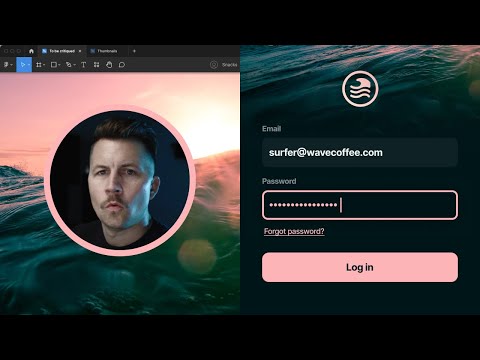
Live Redesign – Wave Coffee Log in
MDS with a new live redesign process video from Shift Nudge curriculum on density and style.
Testing components
Clara Ujiie came up with a simple workflow for visually testing components. (The same tutorial is available as a Twitter thread, if that’s your jam.)