#Community
Creating a pixel art grid
Pablo Stanley builds a simple pixel art editor. (And here is another take with a color picker.)
Short tutorial creating a pixel art grid using the new interactive components from @figmadesign pic.twitter.com/o9iFaqHR5E
— Pablo Stanley (@pablostanley) March 4, 2021

Before and after Interactive Components
The rough amount of screens it took to create this prototype *before* Interactive Components in @figmadesign versus the *single screen* it takes now... 🔥 pic.twitter.com/iMToTNlgHW
— Joey Banks (@joeyabanks) March 2, 2021
Interactive Illustration in Figma

UFO game
Side-scrolling “game” of a UFO that flies over the city using component interactions in @figmadesign. It moves ⬆️ and ⬇️ with the arrow keys and shoots lasers with a spacebar 🛸
— Pablo Stanley (@pablostanley) March 6, 2021
(the vid doesn't explain the lasers cuz of twitter's time limits)
File: https://t.co/DwdyVEpeVy pic.twitter.com/EktLFyd0ha
Design and preview at the same time
Quick #FigmaTip for y'all. Ever want to design zoomed in AND preview the design at 100% at the same time?
— ˗ˏˋrogieˎˊ (@rogie) March 3, 2021
1. Cmd/Ctrl + Shift + N to create a new desktop app window
2. Cmd/Ctrl + . to hide the UI on your preview window
3. Arrange your windows
Happy designing/previewing! pic.twitter.com/Bu33RLy0vG
Bringing Design Online, with Figma Co-Founder/CEO Dylan Field
Office Hours: Get started with Interactive Components

Creating overlapping animations
Hi everyone! Wanted to share something I'm excited for w/ interactive components in @figmadesign, overlapping animation!
— miggi from figgi (@miggi) February 26, 2021
Here I have three different interactive components using delay interactions to make bouncing circles with different timings. Let me know what you think! pic.twitter.com/xg6Dy3zmCP
Luis Ouriach — Design Advocate at Figma
Figma Tips: Adding a glass effect to your designs

Using “Set Default Properties”
Super Quick Bonus @figmadesign #FigmaTip Friday ... "Set Default Properties" to keep your diagram arrows going as you want them styled —great for working on the fly a little faster. pic.twitter.com/YPQGpP4w5L
— miggi from figgi (@miggi) February 19, 2021
Segmented Control component
Using Auto Layout, Variants, and hidden layers to create a Segmented Control component in @figmadesign. 🎛↔️ pic.twitter.com/U53IPDcLay
— Joey Banks (@joeyabanks) February 17, 2021
Toggle Switch
Creating my very first set of interactive components in @figmadesign. 🔥🎛️ pic.twitter.com/apIht8EpFb
— Joey Banks (@joeyabanks) February 26, 2021
Criss-Cross Game
Interactive Components in Figma bring so much potential for prototyping interactions.
— miggi from figgi (@miggi) February 25, 2021
Sign up for the beta here! https://t.co/d4xztICaFA
This is one frame 👇🏽 pic.twitter.com/XKmgEr4FKj
Why Interactive Components are important for design system teams
Interactive components are here my friends.
— luis. (@disco_lu) February 25, 2021
Here's a quick run through of what they mean and also why it's important for design systems teams.
🍜
Sign up for the beta here: https://t.co/PYXoKapYVL pic.twitter.com/dZdqJ1fhDd
Introducing Comments to Figma Community
List of objects beneath your cursor
A good tip from Miguel – Command-Click on an object to show a list of all layers below.
Here is a micro #FigmaTip for your hump-day! Easily select something in @figmadesign by holding ⌘ (Mac) or Ctrl (Win) when you right-click. This will pull up a list of objects directly beneath your cursor.
— miggi from figgi (@miggi) February 10, 2021
This is where naming your layers pays back dividends! 😊 pic.twitter.com/t4RNeGW9w7
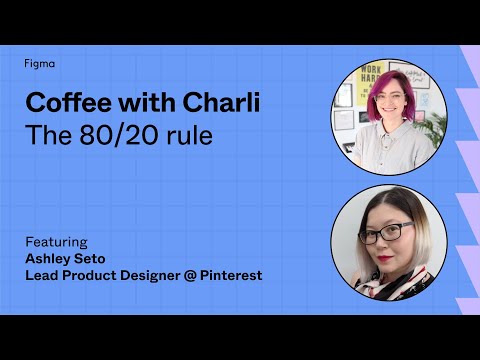
Coffee with Charli: The 80/20 rule
“In this episode, Charli talks sits down with Ashley Seto, lead product designer lead at Pinterest. Together they dig into what it takes to govern a design system and the systems and process in place that can help get everyone on board.”
Coffee with Charli: Jumpstart your design system
“In this episode, Charli talks with her colleague Alf Salib, product design lead at ConvertKit. Together they dig into what it takes to implement a design system with a small team and get real about the challenges and lessons learned along the way.”