
Figma is 4! Font fallbacks. Switching to Microsoft Paint.
Figma celebrated four years since its public launch by releasing a few important quality-of-life updates. Fast Company named them a winner of the Innovation by Design award for enabling other businesses to work remotely during the COVID-19 pandemic. Marcin Wichary wrote an epic blog post on font fallbacks, which is worth finding time for. Last but not least, Friends of Figma have a great curated collection of artworks and illustrations made right in Figma. Enjoy the issue!
— Eugene
Promo
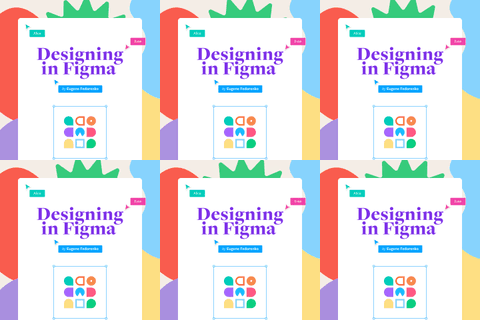
Book “Designing in Figma”
My practical guide to Figma, showing how to create layouts that will evolve over time, build design systems at scale, and stay organized and efficient in the process.
App Updates
Offline Autosave
Improved Reordering in the Properties Panel
Updated Missing Fonts Dialog
Six Integrations to Help Your Product Team Collaborate in Figma
Figma added two new integrations — one for keeping designs up-to-date in GitLab issues, and another for converting mockups into web pages with Maker. This article talks about some recently-launched integrations to help your product team collaborate in Figma.
Prepare for Variants
What’s New
When Fonts Fall

Four years ago today, Figma launched publicly for the first time
Here’s how the CEO of Figma went from a computer science intern to the head of a $2 billion company that’s challenging Adobe for the love of designers across Silicon Valley
Figma Is Proving to Be the Essential Design Tool of COVID-19
Config Europe 2020 – Keynote Highlights, Dylan Field
If you didn’t have a chance to watch the full keynote yet, this is a short 6‑minute long video with main highlights.

Friends of Figma: Art & Illustration

Using Figma
How to Design for Backstage (Even if You’re Not a Designer)

Level Up Your Design Documentation With a Design Deck
A new video and free Figma template from Femke. “Impactful designers are great at communicating design decisions and documenting design process. This is the deck to level up your communication and documentation process.”

Using Figma in the iPad with the Pencil is WHY I got the iPad in the first place
A regular reminder that if you’ve got an iPad, Figurative app and Pencil Pal plugin are must-haves.
Setting and maintaining consistent space between items with the new Auto Layout
Intro to Using UI Kits

In the File: Building a Design System Around Collaboration, Not Components

Figma Low Code – A New Way to Tackle Design Hand-Offs

Why I’m Switching from Figma to Microsoft Paint

Resources
Lo-fi Wireframe Kit for Figma

Overflow

Plugins
 Autoflow
 GIF
 Table Creator
Backstage
The Many Dimensions of Trust in Design

Building an Open and Inclusive Design Process

Inside Figma: My Time as a New Grad
