
AI-native designer. Skills. Sync design and code.
Sponsor
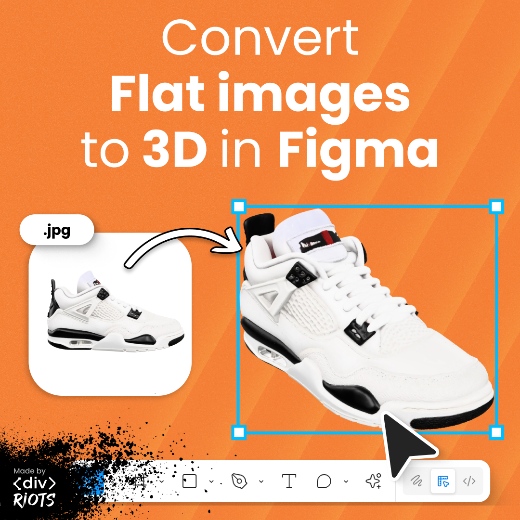
3d.to.design — 3D models in Figma, finally
Import a GLB, GLTF, OBJ — or turn any flat image into a 3D model. Rotate it, pick your angle, place it on canvas. And if you change your mind, re-rotate it anytime.
What's New
Kris Puckett – Becoming an AI-native designer
Ridd interviews Kris Puckett, design manager at Stripe and formerly design lead at Mercury and Dropbox, on becoming an AI-native designer by using tools like Claude Code, OpenClaw, and personal AI to ship his own apps, supercharge his design practice, and build highly personal systems for life and work. I’m deeply curious about the last part and can’t wait to dig into his course Neuma on building a personal AI system.
Designing with Claude Code
Jenny Wen – Design Lead at Anthropic
AI and the Rosetta Stone
Yann-Edern Gillet, design engineer at Linear, revisits his “Rosetta Stone” metaphor for design engineering translation through the lens of AI. The central argument: when translation is cheap and instantaneous, the bottleneck shifts from execution to meaning — and the new craft is preserving intent while everything accelerates.
The Joy of Building Slow
The color statistic that’s been wrong for 80 years
UI Skills
Details That Make Interfaces Feel Better
Jakub Krehel’s collection of small interface details that compound into a significantly better experience: text-wrap balance, concentric border radius, contextual icon animations, tabular numbers, interruptible animations, optical vs. geometric alignment, and shadows instead of borders. Each one has a live interactive demo. The kind of small details that separate a polished interface from one that just functions.
These details also exist as an installable skill for Claude Code, Codex, and Cursor. Once installed, your AI coding agent automatically applies these principles when building UI.
Emil Kowalski skill
AI
How Figma engineers sync designs with Claude Code and Codex
Gui Seiz and Alex Kern from Figma walk through the exact workflow they use to keep design and code in continuous sync using Figma’s MCP, Claude Code, and Codex. Their demo shows the full round-trip: pull a running web app into Figma as editable frames, make design changes on the canvas, push them back to code via Claude Code. If you’d rather read than watch the full video, the newsletter summary of this How I AI episode captures the key takeaways.
Code to Canvas: Codex
Code to Canvas: Claude Code
Guide: AI-Native Design with Paper
TK Kong shares a detailed guide to his workflow with Claude Code and Paper, the design tool built on native HTML/CSS rather than a WebGL canvas. The workflow of agent writing HTML into Paper frames, designer editing on canvas, and agent implementing code is similar to the Figma MCP workflow covered above, but also allows working with existing designs.
The Paper Snapshot Chrome plugin — which copies live web UIs directly into Paper as editable layers — is exactly what I wanted while wondering why Figma won’t make “a universal “Send to Figma” browser extension”.
Introducing Apps in Figma Community
Purchase and manage additional AI credits
Figma Make
Meet your 2026 Makeathon winners
Design Systems
Luis Ouriach – How are design systems changing?
The shadcn-ification of the internet
Luis on what the “shadcn-ification” debate is actually about — not the visual uniformity, but the organizational misread: “The mistake isn’t in the ingredient. It’s in thinking that having access to good ingredients is the same as knowing how to cook.”
Stakeholders are concluding that the design system infrastructure is done because a great foundation exists. The teams that have spent years practicing design systems understand exactly why that conclusion is dangerous.