What's New
Font choices for dense developer tool UIs require different thinking than consumer UI. Anton Lovchikov covers what actually matters — having both sans and mono fonts in the same family, vertical metrics, text rendering, variability — in an article worth saving if you work on data-heavy or developer-facing products.
Yep! Type Foundry introduces Unifora, a uniwidth variable sans-serif superfamily. If you aren’t familiar with uniwidth typefaces, it’s worth checking out details of this project. Two years dedicated to a single constraint: every weight, every width, every slant — same character widths. This solves a real problem for interface designers: text that doesn’t reflow when you switch from regular to bold.
State of design
Strong PM and engineering job markets, hockey-stick AI hiring, and one notable flat line: design. Lenny Rachitsky’s fourth job market report makes the case that the tech market is actually healthy — for most roles. The design plateau is the conversation starter in this issue — read the responses from Soleio, Claire Vo, and Cameron Moll below for the community’s reaction.
Mike Davidson runs the largest design team at Microsoft AI, and shares tips on making it through 2026. The assembly layer of design is being absorbed — button states, data processing, detailed specs. What remains, and what companies are hiring for, is orchestration: running AI and human teams toward a shipping goal. Specific advice on portfolio, job search strategy, and skills worth building.
Worth noting Mike’s scepticizm about data in the above report: “Perhaps the data reflects reality, or perhaps design jobs aren’t accurately tracked by this company, but either way, this is not what I or a lot of my colleagues at other companies are seeing. If anything, most cross-functional teams are more underwater on design than on other functions.”
Soleio on the uncomfortable pattern in Lenny’s data: other functions are accelerating through the AI transition, and design is not. “Don’t take refuge in craft and taste. All members of technical staff must demonstrate newfound productivity. If that’s a topic you’ve avoided because it involves shipping or knowing your business model inside-out, you will struggle to make the case for your own field.”
“I’ll say the thing no one is saying: design culture is broken in lots of companies.” Claire Vo, a product leader, connecting the job market stagnation to something that preceded AI.
Cameron Moll weighs in on Lenny’s data: “Designers are the least positioned to ship and AI has only magnified the importance of shipping. PM drives delivery (shipping) and Eng owns the act of shipping, so we’re no longer fighting for a seat at the table but instead at the shipping dock.”
The spring survey from UX Tools shows how fragmented AI adoption actually is in design: a third of designers do no AI-generated code work, a third say it’s almost all of their building, and a third fall somewhere in between. The split is sharpest by role — design engineers are 80.9% AI-assisted; researchers express the most anxiety.
AI
Figma opens the canvas to agents. The use_figma MCP tool lets Claude Code and Codex generate and modify designs grounded in your actual design system. The key distinction from earlier code-to-design experiments: agents work with what your team has already built, making design system quality a direct input to AI output quality.
Figma Skills are Markdown instruction files that teach AI agents how to reliably handle specific Figma tasks — generating a design system from a codebase, building screens from existing components, and more. Community contributors are already adding new ones.
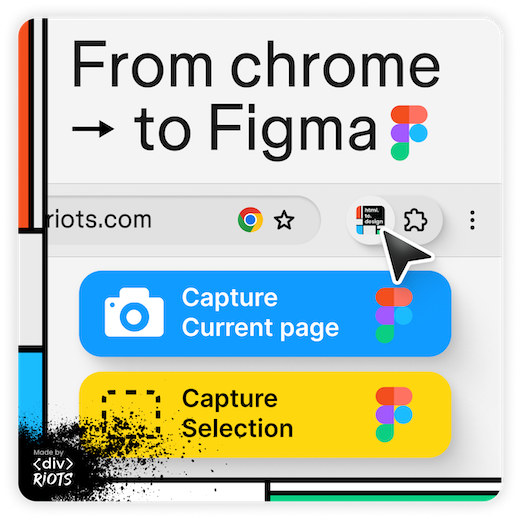
Figma and Anthropic demonstrate the Claude Code roundtrip in both directions. Write to Canvas lets Claude Code create and modify designs directly in Figma; Code to Canvas brings live browser UI back in as editable frames. Worth watching alongside the Agents on Canvas blog post and Figma Skills page for the full picture of what this workflow ecosystem looks like.
Ed Bayes leads design on Codex at OpenAI; Gui Seiz leads AI product design at Figma. Together with Aakash Gupta, they give a rare behind-the-scenes look at what the Codex-to-Figma MCP integration actually changed inside their teams. The workflow is genuinely bidirectional, code and canvas reading from each other directly. The most concrete signal that something shifted: designers are working directly in staging.
A thorough, practical guide from Christine Vallaure on what design systems need to work well with agents. Five things most systems are missing: semantic tokens, full state coverage, slot-based composition, exact Figma-to-code property matching, and token-based auto layout. Pairs well with the Brad Frost video — both cover the same design system moment from different angles.
Brad Frost and Chromatic cofounder Dominic Nguyen walk through how Storybook’s new MCP exposes design systems for agents to use reliably. The key insight: AI doesn’t invent states your components don’t have — it amplifies what’s documented. Coverage, completeness, and constraints are now load-bearing.
Christine Vallaure built a five-person AI editorial team from one text file and seven lines. Five named agents: Rachel brings reader feedback, Joan brings numbers, Caitlin flags voice problems, Miranda raises buyer concerns, and Elke runs the room as editor in chief. Technically one model shifting between personas inside a single Claude conversation, but behaviorally a team critique. The most concrete personal account I’ve read of what agentic AI actually feels like to operate as a solo creator.
Steve Schoger from Tailwind Labs recorded a step-by-step walkthrough on taking an AI-designed dashboard and turning it into something that looks like it was designed by a pro.
Figma Design
The updated eyedropper is no longer limited to the Figma canvas. On the macOS desktop app, it now samples from anywhere on screen — browsers, design references, anything open.
No more jumping to prototype mode just to check a video. Figma now surfaces playback controls on video files directly in Design and Draw — play, pause, fullscreen, and speed controls all on canvas.
Gavin Potenza built a Figma plugin that automatically lays out moodboards.
Figma Weave
Explore the world of Figma Weave workflows in the new Community area. Figma Weave (formerly Weavy) combines multiple AI models with professional editing tools in a node-based canvas, covering image, video, animation, and VFX.
Figma Make
Figma Make gets two features aimed at consistency and context. Kits bring reusable component sets across projects. Attachments embed files directly in the prototype, reducing context switching during handoff. Both address the real friction of working at scale in Make.