Videos
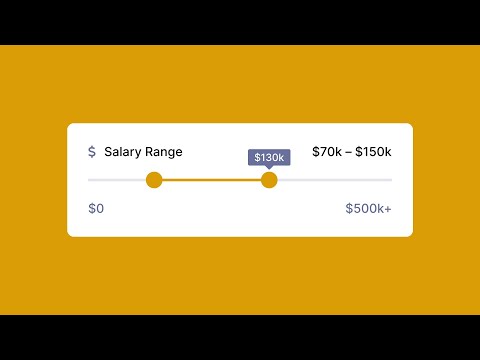
How to Hack a Slider with Auto-Layout
Danny Sapio shows how to create sliders and loading indicators with Auto Layout.
The Beauty of Bézier Curves
A beautiful deep dive into Bézier Curves, explaining how they work and showing math behind them.

Quick component insert
Anthony DiSpezio shows the new component insert menu opened by a Shift+i shortcut.

Swap style and component libraries
Demo of how the new Swap Library feature works. Great for migrating to a new version of the design system or toggling between light and dark modes.

Quick responsive workflows
Speed up your design workflows by combining plugins Responsify and Breakpoints.

Figma tutorial: Masks
“Masks are used to reveal specific portions of layers while concealing the rest. In this video, we’ll go through how to create a simple mask, the differences between masks and image fills, alpha channels, and advanced designs combining masks with other features.”
Figma and After Effects: Animated Bell Icon for Lottie
“Let your users know they’ve got notifications with this Animated Bell Icon that starts out in Figma, gets sent to After Effects to be animated, then exported as a Lottie file.”

A to Z of Figma: Tips & Tricks!
“In the following steps, you will learn some rapid tips and tricks for Figma. We’ll have a look at 26 Figma features, going from A to Z.”

Vectorizing Robotos in Figma
Pablo Stanley live-streamed his process of vectorizing a couple of character sketches.

Product design + rapid testing = better outcomes
Figma hosted the Maze team to discuss the best practices for all things user research, building a robust product process centered on insights, and how best to your Figma files for scale.


FigJam tip: fun with stickies
“Learn some FigJam shortcuts, bring FigJam stickies into Figma, change the colors, copy-paste stickies as action items in Asana or a list in text-based applications.”

Coffee with Charli and Shopify: Scaling Systems
“In this episode, Charli talks with Sara Hill and Dan Ross product design leads at Shopify. They show off the evolution of the Shopify design system, how they’ve managed to scale it, and the challenges they faced along the way.”

Auto Layout chat bubble components for FigJam
“In this Figma Tip, we create an Auto Layout chat bubble to be used in FigJam. Chat bubbles outlined in this tip and some additional Auto Layout notecards can be downloaded and reused from a community file.”


Trick to Show/Hide Header on Scroll in Figma
“Here is a simple trick that you can use to hide and unhide the app header on scrolling down. This trick can be used in web and mobile app prototyping, as the user scrolls down the header will be hidden and as the user scrolls back to the top the header will be shown.”

FigJam / Figma Tip: Make replaceable image placeholders
“Make a placeholder PNG graphic in Figma Design for use in FigJam templates. This is great for setting up FigJam files for group activities and team meetings to help your collaborators easily place images into preset spaces.”

Using the FigJam timer
“A brief introduction to the new whiteboard timer available in FigJam. Great for timed group activities, breakout sessions, and meetings. Timer is multiplayer and global for everyone in the document.”

Figma tutorial: Auto Layout review card iterations
“In previous Auto Layout videos, we showed how to create an Auto Layout component from scratch with the end-product already in mind. But what if you’re still ideating and don’t know what the finished product will look like yet? Designing can be messy and unpredictable. But you can easily add auto layout at any point of this process.”