
Vectorize. Vector point box transform. Codex.
Sponsor
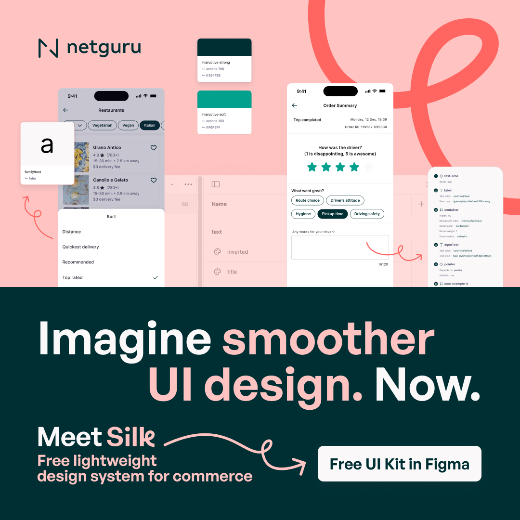
Smoothen UI across user flows with a free kit
Every new feature forces redesigns, overrides, and Figma chaos. Silk is a free design system that keeps UI consistent across products, platforms, and teams.
What’s New
Gather joins Figma
The AI team of Gather is joining Figma: “Second, our AI team is joining Figma. Over the past year, several team members have been exploring new ideas to make work more pleasant and productive, especially for people designing and building software. As we developed these concepts, we had the opportunity to meet the Figma team, and discovered a remarkable alignment in vision and values. We’re thrilled to announce that this group has entered an agreement to join Figma, where they’ll continue pursuing this important work.”
Weavy AI the story behind the Figma acquisition
Weavy’s CEO Itay Schiff walks through his path from 25 years in high‑end VFX to building Weavy, and why Figma acquired it. Weavy lets you package complex node‑based AI flows into simple apps that 200+ teammates can use, baking in brand rules and references by default. It matters if you care about how Figma will operationalize AI beyond one‑off prompts — this is effectively “internal tools for creatives” hiding behind a friendly app layer.
AI
The new design process
Tom Johnson outlines a nine-step AI-heavy design workflow where he starts with messy voice transcripts, uses Claude and tools like Willow, Notion, or Granola to structure the problem, then lets AI generate a deliberately bad but functional app as a scaffold. This matters because it reframes AI’s weakness at UX as a feature: a cheap way to explore directions, expose edge cases, and pressure-test scope before committing to real craft in Figma and a proper engineering handoff.
Figma will make you rich. Claude won’t.
Brett argues that while Twitter is full of advice to “get out of Figma” and learn AI tools, the people actually making money right now are visual designers who doubled down on craft, speed, and positioning rather than trying to vibe‑code products. He frames the explosion of AI and no‑code tools as a demand driver: when thousands of functional products ship every day, the only durable differentiator becomes craft. “In a world where everyone can build, the people who can make it beautiful will be the most valuable people in the room.”
How OpenClaw + Codex are changing the way I work as a designer
Meng To shares a concrete end-to-end workflow where OpenClaw runs as a local “agency layer” that talks to files, shell, browser, and Telegram, while Codex acts as the focused coding specialist for real repos and multi-task queues. He replaced tools like Notion, Midjourney, Cursor, and v0 with local Markdown files, Nano Banana Pro API, and four specialized Telegram bots to compress a 3‑month and 5–10 person product cycle into about a week while working solo. This setup is powerful but requires non-trivial security setup, careful prompt and reference management, and still leans heavily on code review and system hygiene rather than “hands‑off” autonomy.
Figma skill for Codex
Ed Bayes from Open AI shared a 2 minute demo of using the Codex desktop app’s Figma skill to turn designs into front-end code with 1:1 visual parity, including all CSS classes and styling.
Theo on Codex
Theo shares a 22-minute demo of OpenAI’s new Codex desktop app, pitching it as a “Cursor killer” after using it for a week of real work.
Figma Design
For the love of craft: Vectorize images in Figma
Rogie King introduces Vectorize, a new AI-powered action in Figma Design and Draw that converts any raster image into fully editable vectors in one click. This feature finally removes the need to use 3rd-party plugins or to redraw assets, while still letting you tweak paths, use color variables, and turn “messy” starting points into reusable components.
Vector point box transform
Miggi presents the new vector point box transform controls, letting you resize selections of vector points as a box instead of nudging each point manually. This makes symmetry tweaks and proportional adjustments much faster and fills a gap in Figma’s otherwise excellent vector tooling. It’s the kind of unsexy but high‑leverage improvement that will matter more the deeper you are in vector-heavy files.
 CMYK Halftone
A cool plugin by Daniel Petho simulating traditional CMYK halftone printing by generating and overlaying separate cyan, magenta, yellow, and black halftone dot screens, with adjustable colors, dot size, frequency, and imperfections.
Cool Thing
Ferrari Luce interior
Mike Matas shared the interior of the first electric Ferrari designed by LoveFrom. “Tactile controls and digital interactions blend into one cohesive interface, shaped through deep collaboration across engineering, interaction, graphics, typography, sound, and industrial design.”
If you want more glorious details, check out video Why Jony Ive put buttons in the electric Ferrari by Jordan Golson.